10 Reasons Why Ideogram Remains My Go-To AI Image Generator
Introduction
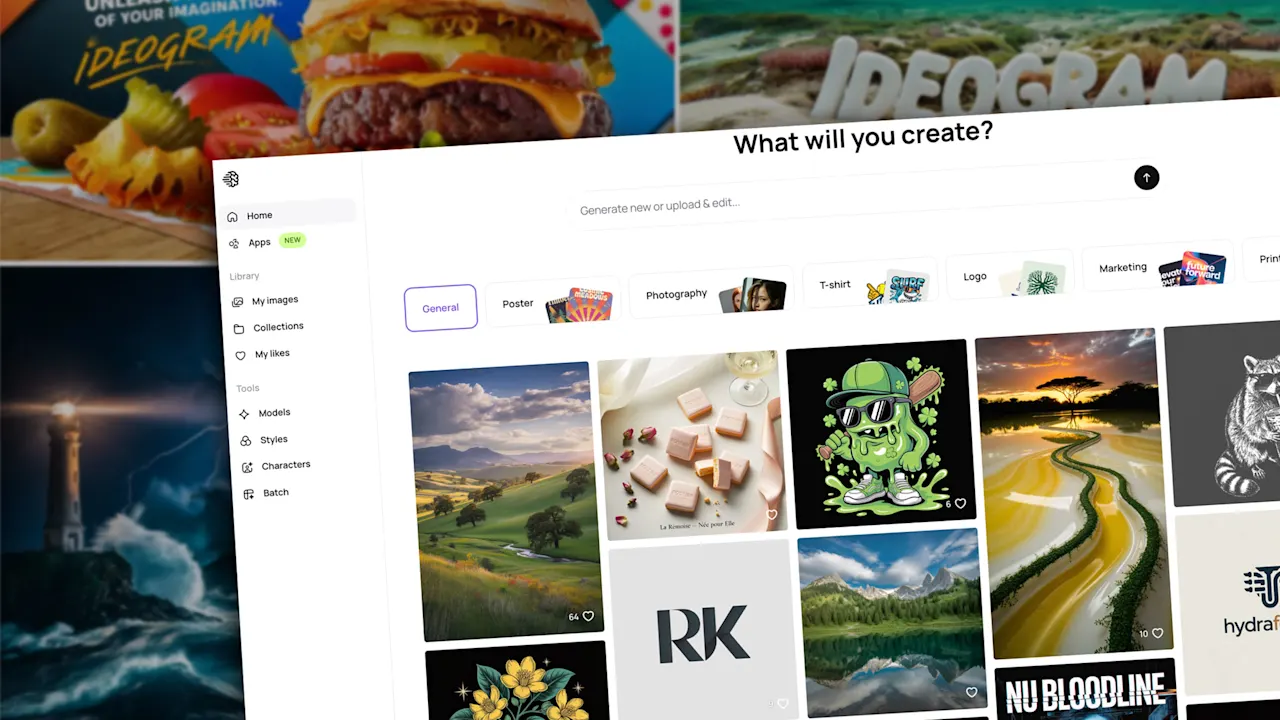
In the rapidly expanding world of AI image generation, it’s easy to feel overwhelmed by choices. From Gemini’s Nano Banana Pro to ChatGPT’s image creator, and from Canva to Adobe to Midjourney, each tool offers something unique. Yet, despite this crowded field, Ideogram consistently earns my trust for creating posters, banners, social media posts, newsletter graphics, and video thumbnails. Here’s what makes it stand out and why I keep coming back.
The Competitive Landscape
Ideogram enters a market that’s exploding with innovation. Gemini’s Nano Banana Pro excels at generating stunning infographics. ChatGPT’s image generator produces whimsical illustrations with ease. Meanwhile, established players like Canva, Adobe, and Midjourney continuously improve their image-creation capabilities. Yet Ideogram holds its own by focusing on what users truly need: accuracy, flexibility, and inspiration. Its unique combination of features makes it a reliable companion for both quick projects and detailed creative work.
Top 10 Features That Make Ideogram Stand Out
1. Automatic Prompt Improvement
When you type a description into Ideogram, its magic prompt algorithm refines your words. This built-in enhancement suggests a more detailed or creative version of your idea. You can accept it or tweak it further. This feature removes the guesswork from crafting effective prompts, especially for beginners.
2. Four Options Per Prompt
Every prompt you submit generates four different images. This gives you editorial control: you can choose the one that best matches your vision, or use the variety to spark new directions. It’s a simple but powerful way to explore possibilities without additional effort.
3. Inspiring Public Galleries
Ideogram’s public image gallery is a treasure trove of ideas. You can browse images of all shapes and styles, see the prompts that created them, and even build on those prompts for your own work. The top-ranked images section is especially useful for spotting trending styles and techniques.
4. Accurate Text Rendering Inside Images
One of Ideogram’s standout strengths is its ability to render legible, accurate text within images. Whether you’re creating a social media graphic, a YouTube thumbnail, a banner, or a logo, the text appears crisp and correctly spelled. Ideogram provides detailed guidance on text and typography, complete with example prompts that show how to achieve specific text effects.
5. Wide Range of Artistic Styles
From Pop Art and Watercolor to Doodle, Travel Poster, and Surreal Collage, Ideogram offers dozens of preset styles. If you’re indecisive, the “Auto” style does a fine job. For presentations, I often choose a clean, modern look; for more creative projects, an abstract or artsy vibe works better. This variety lets you quickly adapt the mood of an image without manual editing.
6. Negative Prompts for Control
Paid subscribers can use negative prompts—specifying what should not appear in the final image. This is invaluable when you need to exclude unwanted elements, such as a specific color, object, or style that could ruin the composition. It helps you get closer to your exact vision.
7. Flexible Orientation Options
Free users can choose from 11 orientation options (horizontal, vertical, square, and more). Paid subscribers get even more dimension choices. This flexibility ensures that generated images fit perfectly into your slide, podcast cover, newsletter layout, ad banner, website header, or any other format. No more cropping or resizing later.
8. Remix Anything
With the remix button, you can modify any image you or others have generated. If your first result isn’t quite right, simply tweak the prompt. Be specific: “dog” might give you a golden retriever, but if you wanted a poodle, remix with “poodle in a park.” This iterative process lets you refine until satisfaction.
9. Extend and Edit with Canvas
Ideogram’s Canvas feature (available to paid users) allows you to edit, extend, or combine images. You can add new elements, extend backgrounds, or merge two images into one. A 45-second demo video showcases these capabilities beautifully.
10. Create Your Own Custom Styles
Upload or select a few images to generate a custom style that you can reuse for a consistent look across projects. This is perfect for branding, series of illustrations, or maintaining a cohesive aesthetic on social media.
How to Get Started with Ideogram
- Sign up free at Ideogram.ai using your Google, Apple, or Microsoft account.
- Read the welcome guide for starting tips, example prompts, and best practices.
- Explore the public gallery to see what others create and how they crafted their images.
- Describe a simple image you envision in a few words, then let Ideogram’s magic prompt refine it. Choose from the four outputs or iterate with remixes.
Ideogram strikes a balance between power and ease of use. Its combination of automatic enhancements, flexible outputs, and text accuracy makes it a reliable choice for anyone—from hobbyists to professionals. Give it a try and see why it remains my favorite AI image generator.
Related Articles
- Navigating the Unknown: Testing Code in an AI-Generated World
- Why Inference Systems, Not Models, Will Define the Next AI Frontier
- MIT’s SEAL Lets AI Rewrite Its Own Weights: A New Era of Self-Evolving Language Models Begins
- Covert Data Exfiltration in ChatGPT's Code Execution Environment: A Security Flaw Exposed
- OpenAI Unveils Three New Audio Models for Real-Time Voice, Makes Realtime API Generally Available
- Jailbreak Prompts Expose Vulnerabilities in AI Chatbots: Experts Warn of Escalating Adversarial Threat
- Tracking Your Brand's AI Citation Rate: A Step-by-Step Guide
- How to Build an Autonomous Fleet of AI Coding Agents: A Step-by-Step Guide