Yazi: A Feature-Packed Terminal File Manager for Linux Users
Introduction
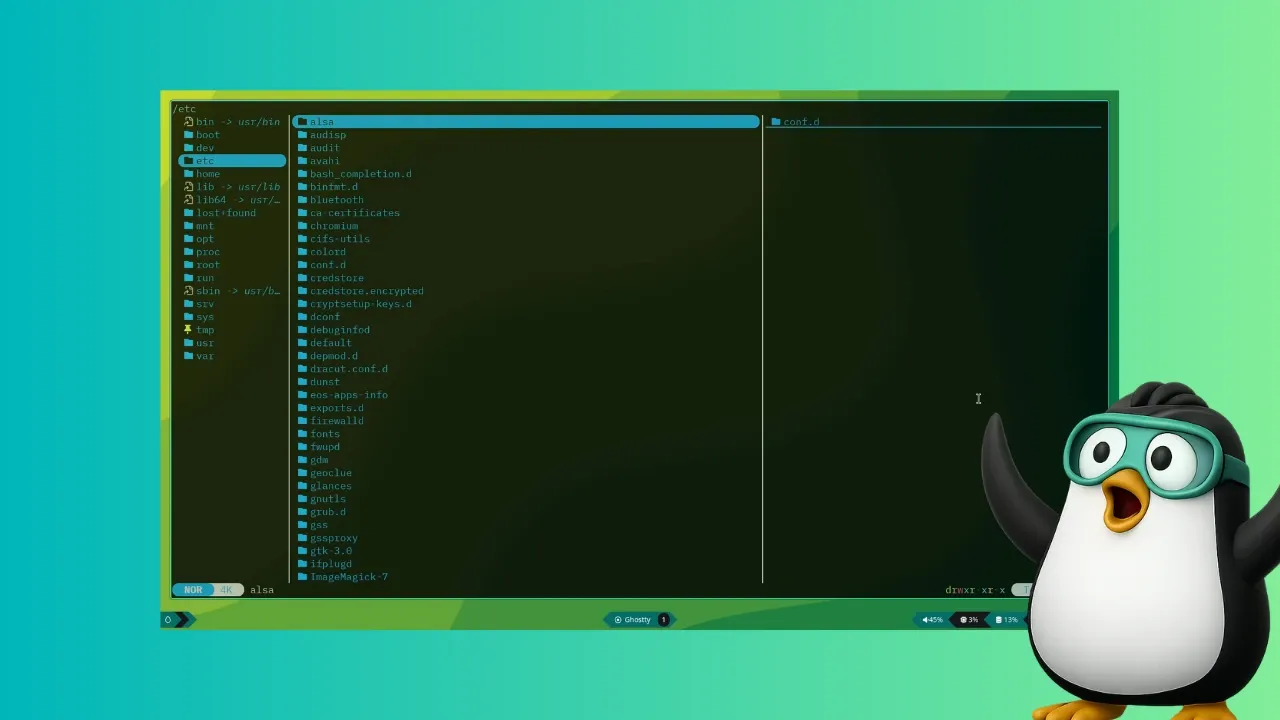
Linux users often fall into two camps: those who prefer the graphical interface and those who embrace the command line. There is, however, a middle ground—a place where the convenience of a GUI meets the efficiency of the terminal. This article explores one such tool: Yazi, a terminal-based file manager that redefines how you interact with files from the command line. Whether you are a seasoned terminal user or someone who occasionally ventures into the console, Yazi offers a compelling alternative to traditional commands like ls and cd.
What is Yazi?
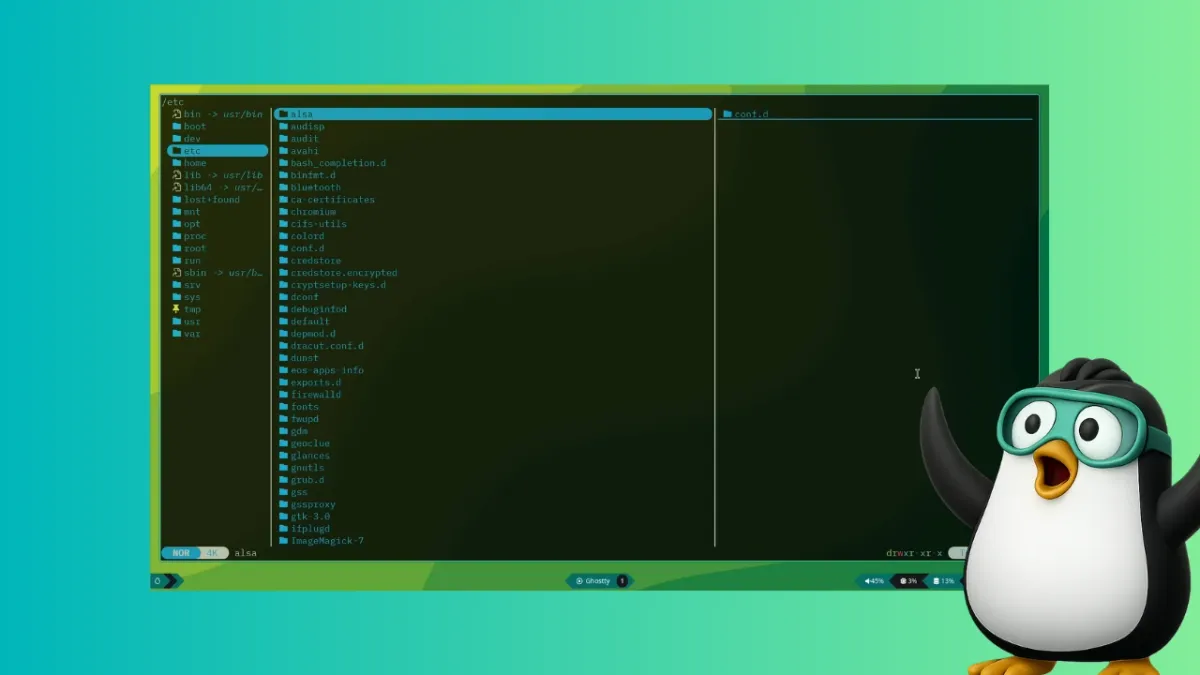
Yazi is a modern, feature-rich file manager designed to run entirely within your terminal. Written in Rust for performance and safety, it provides a visual file browsing experience without leaving the command line. Unlike the usual combination of ls, cd, and other utilities, Yazi presents a structured interface where you can navigate, preview, and manipulate files with ease. For anyone who spends significant time in the terminal, Yazi can become an indispensable companion, potentially reducing the need for graphical file managers like Nautilus or Nemo.
Standout Features of Yazi
Yazi comes packed with capabilities that make it stand out among terminal file managers. Below are some of its most impressive features:
Full Asynchronous Support
Yazi leverages asynchronous programming to keep your terminal responsive. CPU tasks are spread across multiple threads, ensuring that file operations—like copying, moving, or searching—do not block the interface. This results in a smooth, lag-free experience even when handling large directories.
Built-in Image Support
One of Yazi's most surprising features is its ability to display image previews directly in the terminal. It supports multiple image protocols, including those used by terminal emulators like Kitty and iTerm2. This means you can browse thumbnails of photos or screenshots without opening a separate application.
Code Highlighting and Image Encoding
Developers will appreciate Yazi's built-in syntax highlighting for source code files. When you preview a script or code snippet, it appears with color-coded syntax, making it easier to scan. Additionally, Yazi supports image encoding, allowing inline previews of graphics embedded within text documents.
Scrollable Previews
Previewing long files—whether text documents, logs, or code—is a breeze with Yazi. The preview pane is scrollable, so you can navigate through content without opening the file in an external editor. This feature is especially useful for quickly checking file contents.
Powerful Search and File Manipulation
Yazi includes robust search capabilities that go beyond basic filename matching. You can filter files by type, size, or modification date, and perform bulk operations like renaming, moving, or deleting. The interface also supports keyboard shortcuts for rapid navigation and actions, boosting productivity.
Installing Yazi on Linux
Getting Yazi up and running is straightforward. It is available in the official repositories of several Linux distributions, including Arch Linux, Void Linux, and openSUSE Tumbleweed. For example, on Arch-based systems, you can install Yazi along with its recommended dependencies using pacman:
sudo pacman -S yaziAfter installation, launch it by typing yazi in your terminal. To make the most of its features, you may also want to install additional tools like ffmpegthumbnailer for video thumbnails or poppler for PDF previews. Check the official documentation for a full list of dependencies.
Why Yazi Might Be Your Next Go-To File Manager
Yazi fills a unique niche for Linux users who want a visual file manager without leaving the terminal. Its combination of speed, async operations, and rich previews makes it a powerful alternative to both command-line navigation and graphical tools. If you regularly work in the terminal and find yourself missing the conveniences of a GUI file manager, give Yazi a try. You might be surprised by how much it enhances your workflow.
For more in-depth guidance, watch our video tutorial or explore the Yazi GitHub repository.
Related Articles
- How Runpod Bypassed Venture Capital with Community Funding: A Founder's Journey
- Cisco's Acquisition of Astrix Security: Strengthening Identity Security for Non-Human Entities
- How to Fix Broken Enterprise AI Workflows with Agentforce Operations: A Step-by-Step Guide
- Subquadratic's 1,000x AI Efficiency Claim: What It Means and Why Experts Are Skeptical
- 5 Key Insights Into Star Wars: Maul – Shadow Lord Season 2’s Surprise Early Arrival
- How to Scrutinize a Game-Changing AI Efficiency Claim: The Subquadratic Case Study
- Remote Work Is ‘Career Suicide,’ Warns Billionaire Fashion Mogul Emma Grede
- 10 Lessons from Runpod: Why Community Funding Trumps Venture Capital